April 13, 2008

Grading Complex Styles pt. 1

Part 1 of this grading series will make more sense if you have a copy of Jack Handford's Professional Pattern Grading book. Unfortunately, the book is now out of print. Still, this entry may be helpful in grading complex styles, especially part 2...

An anonymous reader left this comment:

I love your blog. Thank you so much for all the information. I've recently started grading patterns. I can grade simple styles by following Handford or other books' steps no problem. But when it comes to complex designs, such as clothing that has unusual shapes and consists of multiple panels, I have trouble placing the "distribution lines" (red lines in Handford's book) on the patterns. Handford suggests by putting the patterns on the mannequins and draw the red lines. But sometimes it isn't practical as I'm using a CAD program.
Any suggestions?

This is a good question and can be confusing. The first thing I had to do was go back and look at Handford's book to see those red lines. Sometimes when I read a technical book my eyes glaze over and I skim until I find the info I am looking for. To be honest, I have had to study Handford's book several times to grasp what he is saying. In any event, I couldn't recall those red lines....

The red lines are illustrated on page 1-2 of Handford's book. He uses the red lines to indicate where a pattern grows or shrinks. The rest of the book has more illustrations of basic pattern pieces that show this. The key is to read page 3:

Obviously the cutting and spreading or overlapping of each part of each pattern to grade it one size up or one size down would be far too time consuming and invite much chance for error to be practical.

In other words, a grader could draw those lines of distribution on each pattern piece and then cut the pattern apart to spread or overlap them for the next size. He is absolutely right that such a task would be extremely time consuming, error prone and tedious. This is the failure of the Price/Zamkoff book on grading because this is how they explain grading. It was the primary reason I was so confused about grading too. If you were to grade by hand, could you imagine making duplicate copies of your base pattern so you could cut it apart? You would then need to carefully align the pieces, tape them securely, redraw the pattern, and cut it out. Then you would have to start the whole process over again for the next size. Yikes!

I don't mean to be so hard on Price/Zamkoff because they explain the concept of grading correctly. The problem is that it is not practical, even in a CAD environment.

I am not sure why Handford places those red lines in his illustrations other than to illustrate where the growth is occurring as you grade using his method. In his method, you move a pattern piece a certain direction at each grade point. The grade points are related to those red lines but are actually located at a pattern edge, usually a corner or mid-point.

Anyway, the reason I didn't remember seeing those red lines is because I ignored them. As a CAD grader I simply select a point and enter in the amount of growth. In my head I know a piece is growing in the middle of the pattern even when I assign the growth to an outside corner or point.

Anyway, I have blathered too long.... The commenter is correct that with complex styles the growth/shrinkage must be placed properly. Handford illustrates a slightly more complex style of a bodice with midriff on pages 93-94. The pieces are taped together with strips of tagboard and graded at the same time. On page 89 Handford makes the suggestion of placing the style on a form to determine where growth/shrinkage should occur. While his suggestion is valid, it is difficult to make the conceptual leap from a 3D form with lines to a table top with flat pattern pieces.

I have never done this. Partly because I have only graded children's pattern pieces. There have only been a handful of styles that I would consider very complex. Since I did this on CAD I had the luxury of playing around with the grading until I felt it was correct. I came up with my own method that works for me. It is not much different from putting a jigsaw puzzle together and only involves a little bit of math.

CAD makes grading complex styles very easy. Unfortunately, the night is getting late and so a complete explanation will have to wait. For now, you must know your total width and length grades, say for a bodice pattern piece. If you have a bodice with a midriff and the total length grade is 1" (I don't know I am making this up...), divide the total length grade between the two pieces so that the growth looks proportionally correct.... Anyway, more later...

March 27, 2008

Peasant Blouse Pattern Conquered


There are a few styles that have always perplexed me. The peasant top with an elastic neck and elastic sleeve cuff has always driven me crazy. When I relied on pattern making books to develop the pattern, I would start off with a kimono style. Bad move because it will create a neckline on the bias. On most styles, this will happen by default. But try tunneling elastic into a neckline casing that is on the bias? It doesn't happen. At least not well. Funny thing is, I have a RTW sample with tunneled elastic on a curved neckline. I am fairly certain the factory that sewed it had a set-up with a 1/4" rolled ball hemmer with an elastic feed. Anyhoo. I don't have one of those nifty set-ups.

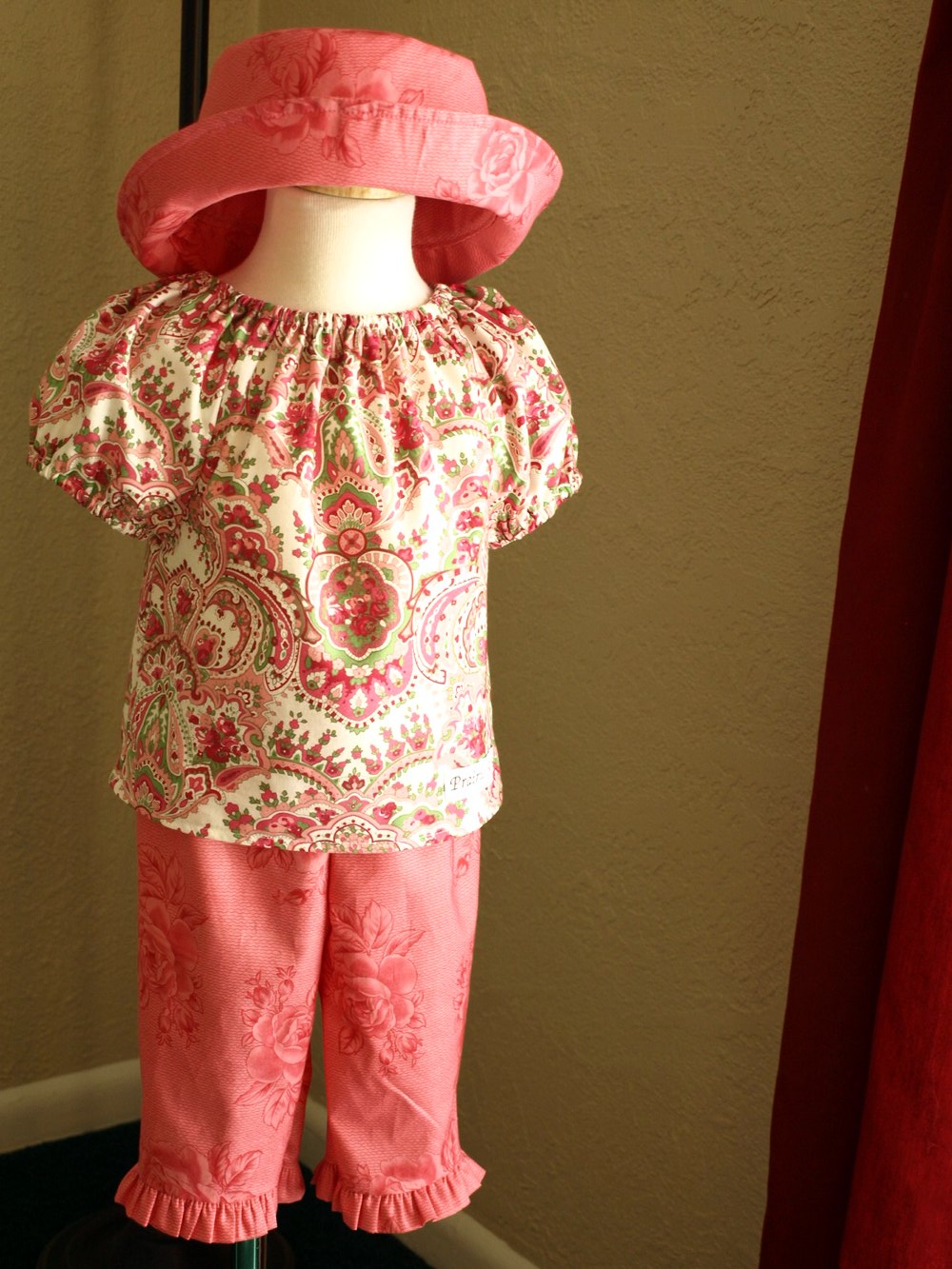
The secret is that the neckline should be on the straight grain. I received a helpful tip from the blog Just Tutes with her peasant blouse tutorial. I didn't copy her method exactly. I had to study why it works and where her measurements came from. I drafted a peasant blouse off of my basic blocks and my measurements to get the same basic shape as hers. Amazingly, it worked well enough and I just need to grade my pattern for other sizes.

March 06, 2008

Tutorial: Reduce/Remove Sleeve Cap Ease

I have written an additional entry on sleeve cap ease. After reading this entry be sure to check out Reduce/Remove sleeve cap ease pt. 2.

Melissa wrote some comments on my blog entry A Problem with Cap Sleeves:

I was really excited when I found your blog on the children's sleeve draft from Armstrong's book. I have been working on a project for weeks now and I'm having a lot of trouble with the sleeve. Starting with the Basic Sleeve Draft, I found there was too much ease and took 2cm off the bicep measurement when I read that you take the ease out. But my worry is the shaping of the sleeve cap, it just doesn't look right to me. Even before I took out the ease, it looked like the under arm shaping was really short. When I compare it to bought patterns and the pictures in the book, it just looks like the notches are really low, and there is a very small amount left to go under the arms. I have tried a zillion things and it's been driving me crazy and I hope you might be able to shed some light on my sleeve shaping problem. Thanks so much!
I responded:

One thing that is probably causing you trouble is the placement of your notches. The notches should match up with the notches on your bodice. They don't necessarily imply that is where you should start easing. Home sewing patterns use those notches to indicate the start and end of easing and thus some of the confusion.

And just as an aside, There is more than one way to remove ease. You can lower the sleeve cap, fold out extra (like a tuck), or shorten the bicep at the underarm seam. I'm sure I did some combination of the above.
This is my promised tutorial. Even though I prefer the Armstrong shaping for cap sleeves, it still leaves too much ease. If you draft the sleeve exactly as outlined in her book, you will have to correct your draft by reducing or removing that ease. On page 68 (second edition) she explains that a sleeve should measure 2 inches bigger than the bicep and have an average of 1.5 inches of sleeve cap ease. On pages 69-70 she illustrates how to reduce/add ease to your sleeve. As I have stated before 1.5 inches of ease is simply too much. Some fabrics require 0.25 to 0.5 inches of ease, but not much more. Armstrong does use the notches to indicate easing. If your sleeve has no ease then the notches are just match points.

Just a few more words before you get to the drawings. This is just my method - Armstrong's is similar. My hope is to just illustrate the principle and not hard fast rules. You can have ease, if you choose, thus the tutorial is on how to reduce or remove the ease. You can use this same method to fix the patterns from the Big 4 - which notoriously have too much sleeve cap ease.

First step in walking a pattern to match corresponding edgesBefore you can remove/reduce sleeve cap ease, you need to know how much ease the sleeve already has. To do this you need to "walk" the sleeve cap along the armscye - without seam allowances. This is one of the few times I actually remove seam allowances when pattern making because they actually might get in the way. Align the center sleeve notch with the shoulder seam and walk the pattern along until you get to the underarm seam. Armstrong does this procedure just the opposite by starting at the underarm seam and moving toward the shoulder. Either way will work and her method is probably better. I usually do this in a CAD environment and my brain says start at the shoulder. It doesn't really matter so do what you think is right.


Continue to walk the sleeve cap along the armscye More walking.


Matching the notches while walking the sleeve along the armscye Still walking. You can see at this point that my underarm notches meet up. This won't be true in the real world - this is just how my drawing ended up. When I am done altering the sleeve, I move the notches where I need them to be. Right now my goal is to get the sleeve cap and armscye to be the same distance. This is where the Armstrong method might work better for you as the underarm notches don't move.


Measure any difference in length Finally done walking. Now measure any of the sleeve cap that is left over. This is how much ease you have on the front. Yes, sleeves have a front and a back and I only walked my sleeve along the front armscye. You will need to repeat the procedure since most of you will have assymetric sleeves. My sleeves tend to be symmetric for children so I only have to walk the pattern on one side. Make sense? Now that you know how much ease you have, you can decide how much to remove.

Two options to reduce sleeve cap easeThis is where things can get a little fiddly... There are a few different ways to remove sleeve cap ease. I usually use a combination of these methods because I want to maintain a nice sleeve cap shape. Not too flat and not too round. My eyes have been trained to recognize a good sleeve cap shaping and it is not something I can pass along to you. You will have to experiment a little bit to see what works best. Try to keep the convex and concave curves balanced (again, how to explain that?). In this drawing I show two places to reduce ease. The first is to shorten the bicep line by moving in the underarm seam. Armstrong's extra 2 inches is too much for children. It may be too much for adults too. It all depends on your desired fit. The next place to remove ease is to lower the sleeve cap height. With my cap sleeve, I lowered the sleeve cap height at least 1/2 inch and re-drew the cap. Again it depends on your fit and the shape of your sleeve to begin with.

Remove sleeve cap ease by splitting the pattern and overlapping Another way to reduce sleeve cap ease is to split the pattern and overlap it - similar to these drawings (remember I am only working on the front side so don't forget to do the back). Redraw the sleeve cap. This method reduces the bicep but may help preserve the cap shaping.

Remove sleeve cap ease by splitting the pattern and overlapping As I stated before, I probably did a combination of these three methods so that I didn't do anything too drastic. It will take subtle changes to distribute the ease reductions to retain a nice sleeve cap shaping. Finally, check your notch placement on the sleeve and move it to where it should be.

Any questions?

February 29, 2008

Etsy, Ebay Strike, and Lead Issues Again

I have heard no news about the Ebay strike and whether or not it made a difference. My gut feeling is more people left Ebay than previous "strikes" but I doubt it made much of a dent. The walkout will have to be far more drastic. Besides that, there were some Ebay boutique designers who signed on to the strike and still had listings run during the week. Yeah, I checked. Shame on those designers who played both sides. I don't really care if those designers continue with Ebay or not. It just speaks volumes about their integrity. You can't say one thing and do another.

In the mean time I have been browsing Etsy sellers - sellers of child related products. I have been looking at what these sellers are making and it leaves me a little concerned. I think it is great so many people are finding an outlet for their "handmade" products. About 90% of the sellers are just fine, but it is that other 10% that are a cause for concern.

I had thought about profiling Etsy designers who appear to have awesome products, but then my blog would quickly turn into an advertising medium. I am still mulling it over, so I may still do it. Etsy designers should be aware, though, that I will offer a no-holds barred critique of their product - that is if I do it. How can I offer a fair critique without the product in hand?

I could openly critique Etsy sellers that are selling products that concern me. I can imagine the backlash if I focus on any specific seller. Etsy users seem to be a loyal bunch. Besides, I don't want to create a negative aura with my blog or my participation with Etsy.

Anyway, those have been my thoughts over the last week. What are the products that cause me concern?

1. Taggies inspired products. There are many copy-cat products on Etsy and I don't think the sellers realize the "idea" has been patented. I don't agree with the patent, but its there and it can't be ignored.

2. Absence of care/content tags. These tags are required not only on clothing but other textile products. I have seen burp cloths, blankets, bibs, and wash cloths being sold without legally required tags. Those items must have tags if sold in the US and probably elsewhere.

3. Drawstrings, Ties, and Dangles. I have seen "boutique" clothing being sold with ties in the neck and waistline areas and long trims that hang loose. Ties and ribbon dangles don't technically qualify as drawstrings but there have been recalls on related products. Ties that are too long can be a trip hazard. Further, I have seen a lot of dresses and pants that are too long, at least on the models. Such clothing is also a trip hazard.

Anyway those are the top 3 areas of concern.

Finally, California's Lead in Jewelry policy goes into effect March 1st. Check the link at the top of the page. California issued a report of stores that have sold lead-laden jewelry. There are heavy fines involved and they are inspecting stores of every size.

February 20, 2008

Design a clothing line with a plan

Coffee and notebook
If you watch Project Runway or believe any of the stereotypical Fashion Designer drivel, you may think a line is designed by pure inspiration. A designer goes to a museum and is inspired by a piece of artwork and can magically create 5-7 pieces that all work together. Or perhaps a designer flips through some swatches and tosses some to an assistant to make samples out of. This kind of thinking is silly nonsense and will lead to disaster.

It is true that a designer can be inspired by a piece of artwork, a fabric print, color, etc. But unless one designs with a plan, or end goal, it will only be an exercise in design for design's sake. A design plan should follow some basic steps and answer basic questions:
  1. Review the past line.
    1. What sold best/worst?
    2. Customer comments
    3. Returns
  2. Review past goals and set new ones.
    1. Did you meet sales expectations?
    2. What are my sales goals for this season?
    3. How is my budget?
    4. Set design budget for the next season.
  3. Shop the market between seasons.
    1. What are my competitors selling?
    2. What are their price points?
    3. Do I hang with them?
You'll notice that none of these questions have anything to do with design. They are ordinary business questions and it is good practice to review them at the end/start of a new season. Finally, I sit down and actually "design" my line.
  1. Shop for fabric/trims. (this is where I find my "inspiration".
    1. Does the fabric express the brand?
    2. Does it fit within the price point for raw materials?
  2. Determine number of styles/pieces.
    1. Can any styles be carried over in new color/print?
I then sketch, come up with words to describe the group and generally get lost in the design process for about 2 days. I sample my styles directly in the real fabric. I don't do muslins or toiles - those are only to work out pattern problems. The sample making process can take a few weeks and gets a little nitty gritty, but at the end of the process you will have designed you line.